
 1/4
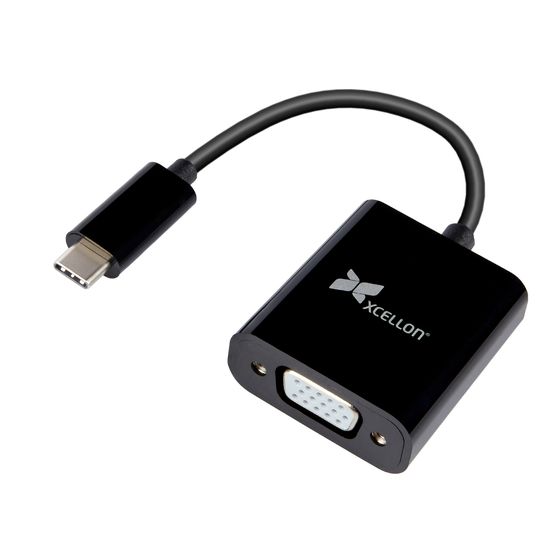
1/4USB Type-C to VGA Adapter
MFR #C-VGA-10
Availability: In-Stock
Key Features
- Connects a USB Type-C computer to a VGA peripheral
- Supports full 1080p and 1920 × 1200 resolutions
- Compatible with Thunderbolt USB-C ports
Overview
Xcellon’s C-VGA-10 adapter allows you to connect a USB Type-C equipped computer to a VGA device such as a legacy printer, monitor, projector, or TV. This adapter gives you the reliable compatibility between your devices that will work seamlessly into an office or home setup. The convenience of the reversible USB Type-C connector means you’ll never fumble around to find the right plug direction. This adapter will also allow you to connect Thunderbolt USB-C-equipped computers to your legacy devices. And with plug and play design, you’ll be running your peripherals from your computer in no time, without downloading drivers or extra software.
Features
Connect USB-C to VGA
Upgrading to a new computer with USB Type-C or Thunderbolt 3 ports doesn’t mean you have to replace your legacy printers, monitors, or projectors. Xcellon’s C-VGA-10 adapter will seamlessly fit into your office or home setup and let you use your legacy peripherals with your new laptop or desktop computer. Use this adapter to use your legacy monitor to add a second screen to your new laptop.
Reversible USB Type-C
USB Type-C connectors are conveniently designed so the plug is reversible. No more fumbling to find the correct plug orientation. No matter how you’re holding the plug, it will slip effortlessly into the port.
Thunderbolt Compatible
Ports that support Thunderbolt 3 and later are the exact same size and shape as USB Type-C ports. That means you can use Xcellon’s USB Type-C to VGA adapter to connect to your MacBook Pro, iMac, or gaming computer to your legacy peripherals too.
Plug and Play
This adapter is bus powered, so it gets all the power it needs from your computer’s USB Type-C port. It also has all the compatibility you need built into it, so you don’t have to download a driver or tinker with your computer’s system preferences. Just plug it in, and it works.
UPC: 847628531895